ZoneDecoder AI add-on
ZoneDecoder AI is a premium add-on. It draws AI-powered support and resistance zones on your chart, built from live volume and order flow. This page covers the account side: how to get it, how the trial shows up and how to manage it. For the settings and how to read the zones, see ZoneDecoder AI.
Beta. ZoneDecoder AI carries a BETA tag in the indicator list.
What the add-on includes
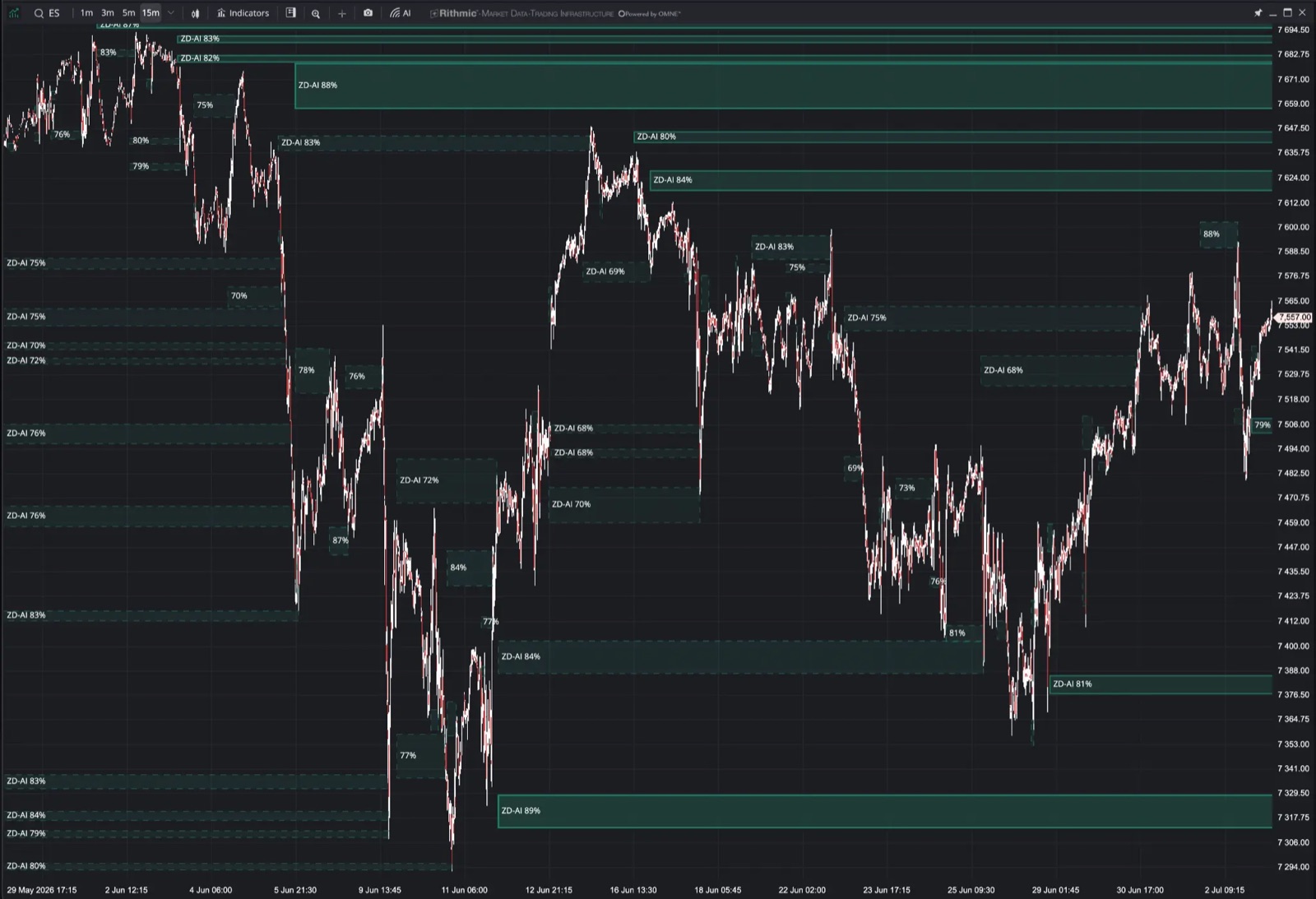
- AI reaction zones. Potential support and resistance, drawn right on your chart.
- Built from live flow. The zones are calculated from tick data, volume and order flow.
- Targets and fades. Use the zones to plan entries, targets, scale-outs and reaction trades.
Get ZoneDecoder AI
The offer is in two places. Use whichever is closer.
From a chart
- Click Indicators in the chart toolbar.
- Find ZoneDecoder AI in the Tradrr group, or search for it. Without access it shows a lock and an Upgrade label.
- Hover over it for a tip that says Explore ZoneDecoder AI, then click it. The ZoneDecoder AI panel opens on the right.
From the Account panel
- Click the Account button in the top bar.
- Click ZoneDecoder AI in the product list.
Start checkout
- Read the offer. It is labelled PREMIUM ADD-ON.
- Click Unlock ZoneDecoder AI.
- Complete checkout in the panel. The panel says Your access updates automatically.
If your access doesn't update, click Check access.
Use it once you have it
- Close the panel.
- Click Indicators on your chart and select ZoneDecoder AI in the list.
Once the add-on is yours, the panel shows Your access is active. The lock and the Upgrade label are gone.
Free trial
If ZoneDecoder AI is on a trial, its entry in the indicator list has a short badge, for example 5d for five days left, or today on the last day. Hover over the badge to see when the trial ends. The Account panel shows the full line, for example Trial · 5 days left. See Plans and free trial.
In the ZoneDecoder AI panel the button reads Manage trial during a trial and Manage subscription after it. See Manage your subscription.
Related articles
Was this article helpful?