Trade Copier
Trade Copier mirrors what you do on one account, the leader, onto other accounts, the followers. Place an order on the leader and the followers get it too. If you run several accounts, you don't have to click the same order into each one.
Beta. Trade Copier is in beta. Start with small size and watch your followers until you trust the setup.
Open Trade Copier
- In the top bar, click + and choose Trade Copier.
- The first time, a notice explains the risks. Tick I understand and accept the Trade Copier risks and click Continue.
Closing the window turns copying off for every group. Tradrr asks you to confirm first.
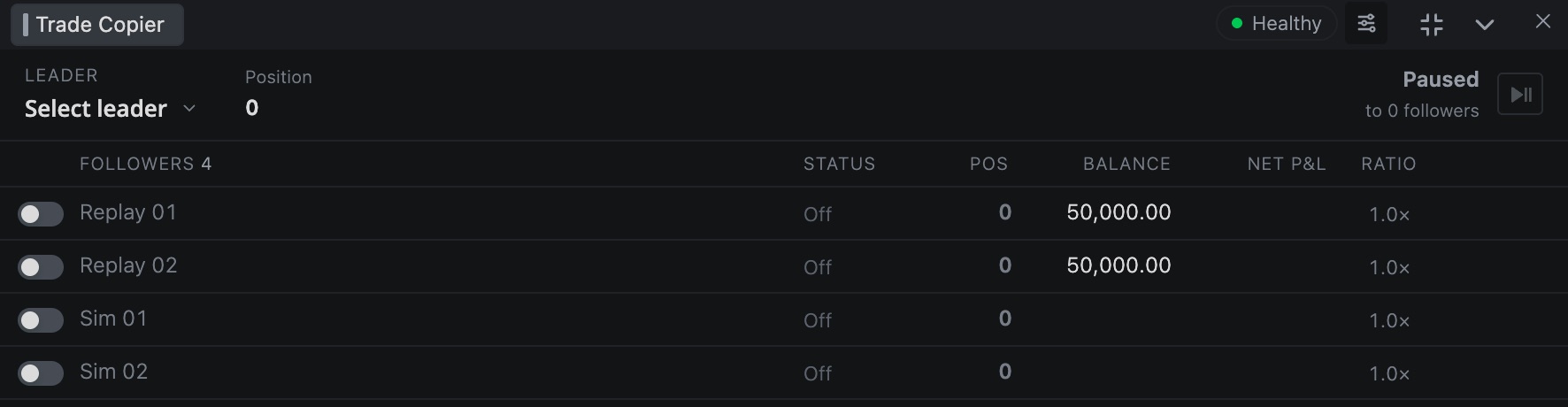
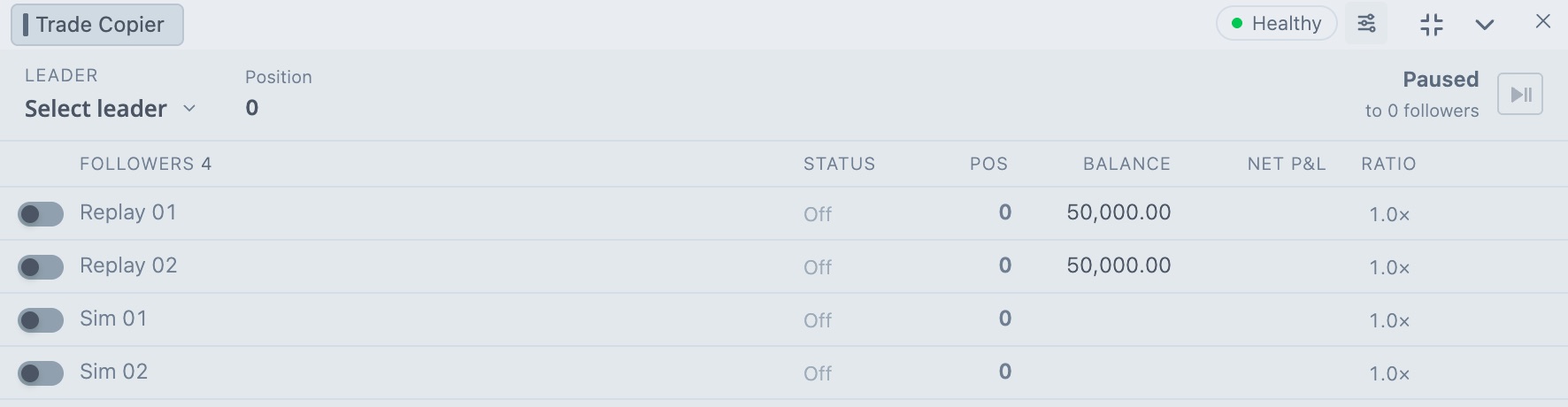
The Healthy pill in the header says the copier is working normally.
Set up a group
A group is one leader plus its followers. You can have several groups, and they show as tabs along the bottom.
- Click + at the bottom (Add configuration).
- Click Select leader and pick the account whose orders you want copied.
- Your other accounts show up as followers, all switched off. Flip the switch on each account you want to copy to.
- Click the play button next to the leader to start copying. The state next to it says Copying, or Paused when it's off.
Double-click a tab to rename the group. Right-click a tab for Rename, Save, Save as ..., Save as default, Reset settings, Disable or Enable, and Delete.
What gets copied
Orders you place, change and cancel on the leader in Tradrr, and position exits, go to every follower that's switched on. Followers get the same instrument and side, with their own ratio applied.
- An account can lead one group at a time. An account that follows in a group can't lead that group.
- If the leader's connection drops, nothing is copied. The state shows Leader offline, and copying picks up when it reconnects.
- Each follower goes through its own Risk Manager limits. A follower that's blocked is skipped. The rest still get the order.
- If the leader is locked by Risk Manager (a lockout, a daily loss breach or being outside its trading window), nothing it does is copied.
The follower list
| Column | What it shows |
|---|---|
| Switch | Copying to this account on or off. |
| Name | The follower account. |
| STATUS | What the account is doing. See the next table. |
| POS | The account's position. |
| BALANCE | Account balance. |
| NET P&L | Net profit and loss. |
| RATIO | The size multiplier, plus the CROSS button. |
| ⋯ | Row menu with Pause copying or Resume copying, and Flatten position. |
At the top of the group, the leader shows its position, plus Group net and Group open for the followers that are on.
Status
| Status | Meaning |
|---|---|
| Copying | Following the leader. |
| Ready | Will copy once the group is turned on. |
| Waiting | The leader is offline. Copying resumes when it reconnects. |
| Off | Copying to this account is off. |
| Offline, Unavailable | The follower's connection is down, or it can't trade right now. |
| Blown | The account is blown. |
| Out of sync | The follower's position doesn't match what the leader implies. See below. |
Ratio
The ratio multiplies the leader's order size for that follower. If the leader buys 2 and the ratio is 1.5, the follower buys 3. Set it in the RATIO column. It goes down to 0.1 in steps of 0.1 and starts at 1.
Copied sizes round down to whole contracts, with a minimum of 1. A fractional ratio can leave a follower off from the leader when you scale in and out. See Follower Fill Protection below.
To change several accounts at once, click rows to select them. Hold Shift to select a range, or Ctrl or Cmd to add single rows. A bar shows up with a ratio stepper and Cross, Pause and Clear.
CROSS
CROSS makes the follower trade the smaller or bigger version of the contract. With CROSS on, a leader trade in ES is copied as MES, and a leader trade in MES is copied as ES. Side, quantity and ratio stay as they are, so set the ratio yourself if you want a different size.
- Find the follower and click CROSS in its RATIO cell. On a narrow window, use the row menu and choose Cross trade.
- While it's on, the follower shows a CROSS badge.
If a symbol has no pair, the follower trades the same contract as the leader. Open Settings → Cross Trade to see every pair, such as ES and MES, NQ and MNQ, RTY and M2K, YM and MYM, GC and MGC, and CL and MCL.
When a follower is out of sync
If a follower's position doesn't match, a red banner at the top names the account and shows the position it has next to the one it should have. You get three choices:
- Match leader sends a market order to bring the follower to the size the leader implies. You confirm first. No stop or target is attached.
- Flatten follower closes the follower's position at market.
- Pause follower keeps its position and stops copying to it.
Flatten position in a follower's row menu pauses copying to that account in every group, cancels its working orders and closes its positions at market.
Settings
Click the settings button in the window header.
| Page | Setting | What it does | Default |
|---|---|---|---|
| General | Global Flatten → Show Confirmation Warning | Shows the confirm box before Global Flatten runs. | On |
| General | Tab Behavior → Double-click tab to select and activate | Double-clicking a tab selects the group and turns it on. | |
| General | Follower Fill Protection → After timeout | Alert only warns you when a follower is missing a fill. Market catch-up sends a market order for the missing size. | Alert only |
| General | Delay (seconds) | How long to wait for the follower to catch up after a confirmed leader fill, from 0.5 to 30. | 2 |
| General | Maximum slippage (ticks) | How far price can move against the leader's fill before automatic catch-up is blocked. | 4 |
| General | Disable follower when catch-up is blocked | Stops copying to that follower when catch-up can't be done safely. | On |
| Appearance | Text colors | Colors for neutral, positive and negative P&L. | |
| Cross Trade | Contract pairs | The list of pairs CROSS uses. |
Market catch-up only runs after a confirmed leader fill and a verified position mismatch. It cancels the stale follower order, checks that it's gone, then sends the missing quantity. Fill protection settings apply to the group you have selected.
Careful. Followers can fill at different prices and sizes than the leader, and balances and margin can differ between accounts. You have to watch every account in the group yourself.
Related articles
Was this article helpful?