Market Replay overview
Market Replay plays a recorded market session back on your charts and DOMs. You can practice reading the market and placing orders when the market is closed. Orders are simulated and nothing reaches a broker.
Start Market Replay
- Click the signal icon in the top bar to open Connections.
- Find the Market Replay row. Its account line reads Replay 01 · Replay 02.
- Click Connect.
The session starts at the beginning and plays at normal speed. Open a chart or DOM on one of the replay markets and choose Replay 01 or Replay 02 as the account to trade.
Once Market Replay is connected, a replay pill with the replay clock in New York time shows up in the top bar. Click it to open the replay controls.
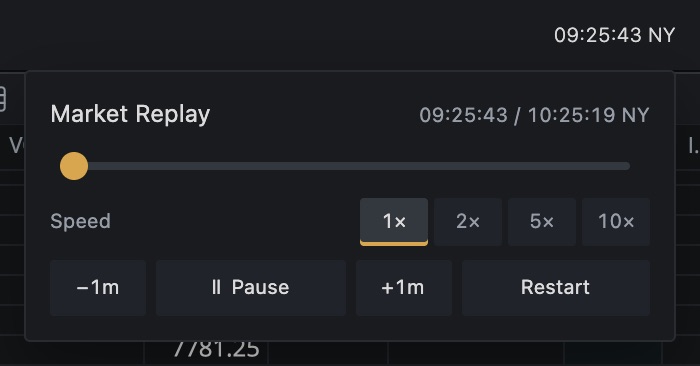
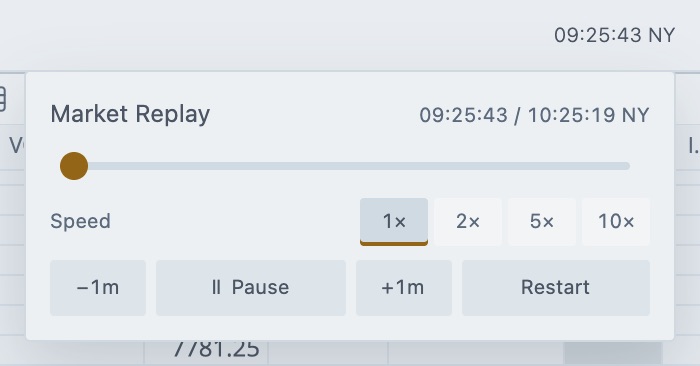
- •Timeline
Drag to jump to a time in the session. - •Speed
Play the session faster. - •Restart
Start the session over.
What you can practice with
| Session | What it is |
|---|---|
| US Open sample | ES, NQ and FESX from 09:30 to 10:30 NY. It includes three days of synthetic tick and chart history. It needs no file. |
| Recorded session | A real market session that you recorded yourself or imported. See My recordings. |
Replay accounts
- Replay 01 and Replay 02 are the two simulated accounts for Market Replay.
- They're separate from Server SIM, Firm SIM and Simulated Trading. Those accounts can't trade replay data.
- Restart clears the orders, positions, fills and P&L of both Replay accounts.
Rules to know
- Replay and live data don't mix. If a Rithmic connection is connected, Tradrr shows Switch data source and asks you to disconnect it before you start Market Replay. If Market Replay is connected, disconnect it before you connect a live account. Market Replay takes over chart and DOM market data while it runs.
- Pick the session before you connect. To change the session, disconnect Market Replay first.
- Jumping back resets your replay trades. See Timeline, speed and restart.
- Everything runs on New York time. The clock on the pill is NY time.
Where to go next
| I want to | Read |
|---|---|
| Pause, speed up, jump or restart | Timeline, speed and restart |
| Choose, download or delete a session | My recordings |
| Save today's market for later | Record the live market |
| Load a file | Import replay files |
| See every option in the settings window | Market Replay settings |
The public demo has the same controls, but its pill reads DEMO instead of REPLAY. See Try the demo and practice account.
Related articles
Was this article helpful?