Timeline, speed and restart
While Market Replay is connected, the replay pill in the top bar controls playback. You can pause, jump to any time in the session, play at up to 10 times normal speed, or start over.
The replay pill
The pill shows in the top bar when Market Replay is connected. It shows REPLAY and the current replay time in New York time, for example 09:42:10 NY. Hover it to see the session name and Simulated execution.
- Click the play or pause button next to the pill to pause or resume. Its tooltip reads Pause replay, Play replay or Replay finished.
- Click the pill itself to open the replay controls.
The replay controls
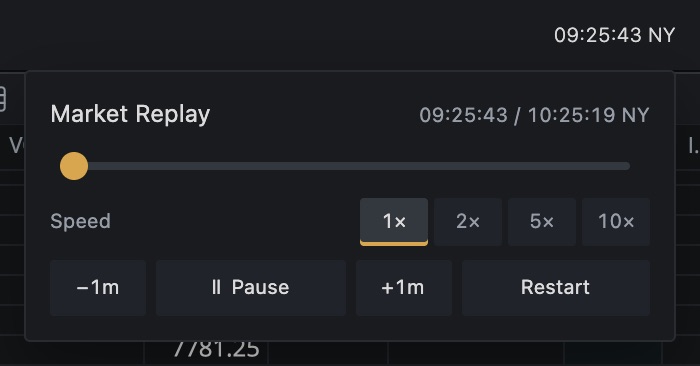
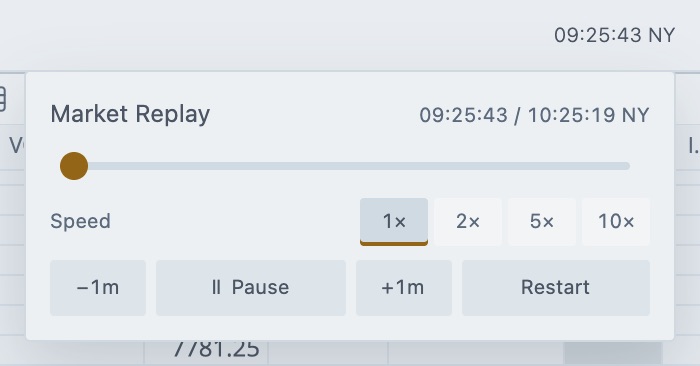
- •Timeline
Drag the slider to jump to a time in the session. The tooltip shows the time you're about to jump to. - •Speed
Choose 1×, 2×, 5× or 10×. - •Restart
Start the session over from the beginning.
The header shows the current time and the end of the session, for example 09:42:10 / 10:30:00 NY.
| Control | What it does |
|---|---|
| Timeline slider | Jumps to the time you release it at. |
| Speed | Plays the session at 1×, 2×, 5× or 10× real time. It applies to every market in the session and goes back to 1× each time you connect Market Replay. |
| −1m | Jumps back one minute. It's off at the start of the session. |
| Play, Pause | Pauses or resumes playback. |
| +1m | Jumps forward one minute. It's off at the end of the session. |
| Restart | Returns to the start of the session and clears the Replay accounts. |
What happens to your orders
- Jumping forward keeps your working orders. Tradrr processes every market event it skipped.
- Jumping back resets the simulated trading on the replay accounts first. Your practice trades are cleared.
- Restart clears the orders, positions, fills and P&L of both Replay 01 and Replay 02.
- Pausing stops the replay clock until you resume.
Careful. Dragging the timeline back clears your replay trades. To keep them, pause or jump forward instead.
When the session ends
At the end of the session the pill tooltip reads Replay finished and playback stops. Click Restart to run it again, or drag the timeline back to an earlier time.
Controls in Connections
Once Market Replay is connected, its row in Connections has the same basics. A button reads Pause, Resume or Finished, and Restart resets playback and both Replay accounts.
Related articles
Was this article helpful?