Fix connection problems
Tradrr shows the health of each connection in the top bar and in the Connections window. This page covers what the indicators mean and what to do when one of them isn't healthy.
Where to look
- Signal icon in the top bar. Click it to open Connections. It's green when connections are healthy, amber when degraded and red when unhealthy.
- Services column. One indicator each for Session, Orders, Data, P&L and History. Hover one to read its status.
- Recovery pills in the top bar. While Tradrr repairs a connection, a pill shows its name and what it's doing. Click a pill to open the connection.
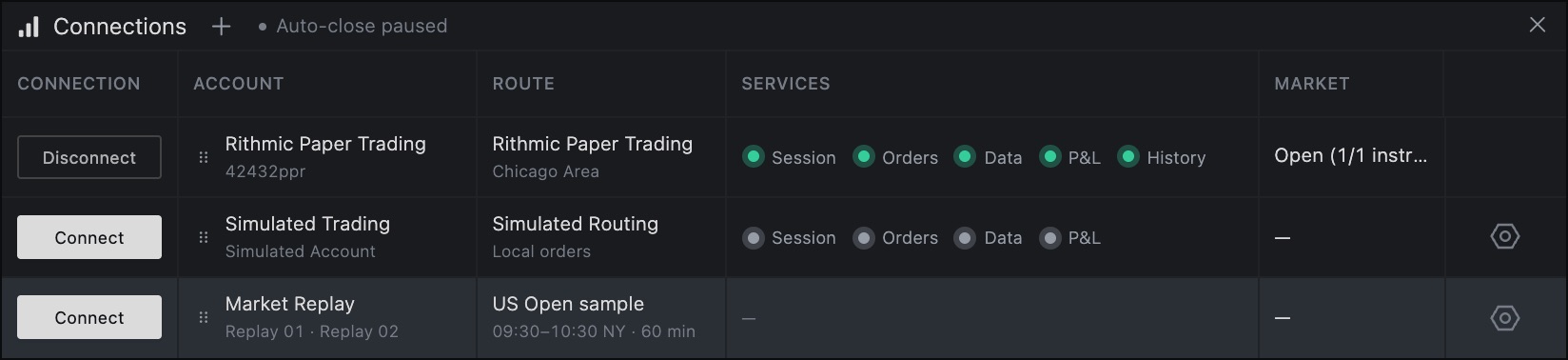
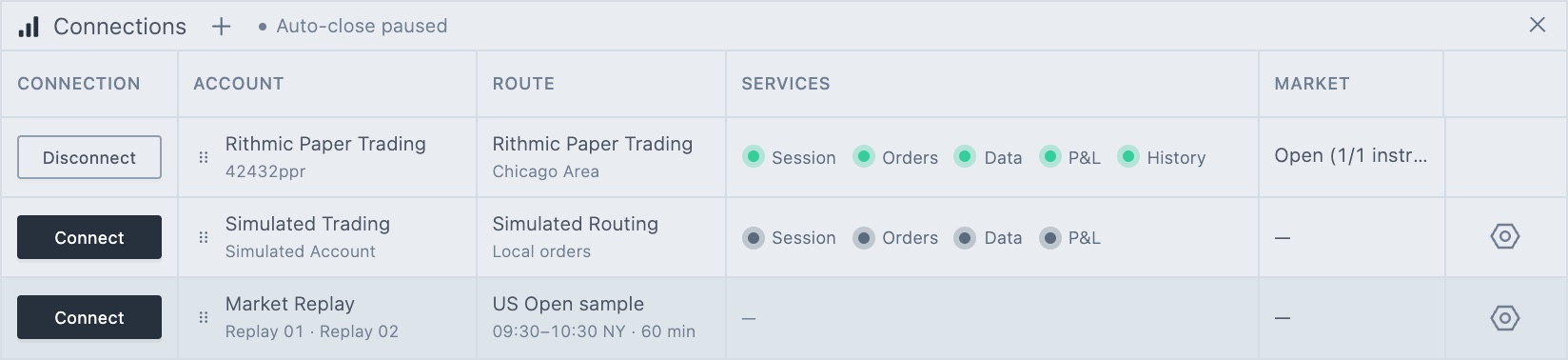
Session is the Tradrr connection itself. Orders, Data, P&L and History are the Rithmic services.
Status words
| Status | Meaning |
|---|---|
| Connected | The service works normally. |
| Connecting, Reconnecting (n) | Tradrr is logging in or retrying. The number counts the attempts. |
| Recovering, Waiting for live data | The service is back and Tradrr is refreshing it. Data waits for live prices. |
| Degraded, Unhealthy | The service is up but slow or failing. Give it a moment, then check the table below. |
| Not connected | The row is disconnected. |
The recovery pill text can also read Waiting for network…, Refreshing account… or Updating market data…. These clear on their own.
Common problems
| Problem | What to do |
|---|---|
| The connection is rejected right after you add it | Check the User ID, password and System. A login on the wrong system fails. See Choose your Rithmic system. |
| First-time user? Sign your Rithmic agreements. | Click Sign agreements. See Sign the Rithmic agreements. |
| Rithmic systems are temporarily unavailable in the form | Wait and click Retry. This often happens during Rithmic maintenance. |
| Maintenance window · retrying… or Paper maintenance · orders blocked | Rithmic Paper Trading is in its maintenance time. Tradrr retries on its own. See Choose your Rithmic system for the times. |
| Waiting for Rithmic accounts or Rithmic account update delayed | Rithmic didn't return your account list. Tradrr retries automatically. This can happen during maintenance, a Rithmic service interruption or an account-access issue. If it lasts, ask your firm to check your account access. |
| Connection interrupted | Your network dropped. Tradrr waits for it to come back and restores the connection. |
| Connection moved to another tab or another browser | You connected the same connection somewhere else. Use that tab or browser, or click Connect here to move it back. |
| Market Replay will not connect, or a Rithmic row will not connect | Market Replay and live data can't run together. Disconnect one before you connect the other. See Market Replay overview. |
| Server SIM shows Needs Rithmic connection | Connect a Rithmic connection first. See Server SIM practice accounts. |
A session ended
If Rithmic ends a service's session, that indicator turns red and its status reads Session ended by Rithmic, followed by an instruction to reconnect manually. You also get a warning: Rithmic ended this session. Another connection may be active. Tradrr pauses automatic reconnect for that service. The recovery pill reads Session ended or Orders session ended · actions blocked.
Tradrr also opens a dialog that asks whether to reconnect. If you dismiss it, you can open it again. First check whether the same login is open somewhere else, such as another platform. Then:
- In Connections, click the red status (for example Data).
- Read the dialog. It lists which services ended and which are still connected. It also warns that reconnecting here may disconnect the other session and interrupt its live data or client-side trade management.
- Click Reconnect market data, Reconnect services or the button for the single service that ended. To leave things as they are, click Keep data paused or Keep services paused.
Orders are offline
If the pill reads Orders offline · actions blocked, Orders connecting · actions blocked or Orders session ended · actions blocked, Tradrr isn't sending order actions. Hover the pill for the full text.
Careful. Orders that are already working may still be active at Rithmic. Check them in your broker platform before you retry.
History is unavailable
If a History unavailable pill with the connection name shows in the top bar, charts may not load past bars from that connection. Click the pill to open it in Connections. The History indicator reads Interrupted or Request failed.
- Open a chart so Tradrr has a history request to retry.
- In Connections, double-click the History indicator, or focus it and press Enter.
- The status changes to Retrying, then Available when it works.
Rithmic's intraday history service is often down during scheduled weekend maintenance. If the retry fails, wait and try again later.
If nothing helps
Click Disconnect and then Connect on the row. If it still fails, open a support ticket from the Help & Support menu and tell us the connection name and the exact message you see.
Related articles
Was this article helpful?